XLOOKUP vs VLOOKUP: Why You Should Switch Right Now (With Examples)
Published on officelearner.net | Excel | May 2026
VLOOKUP has been a staple of Excel for decades. Many users have spent hours debugging why it broke after someone inserted a column. The good news? XLOOKUP was introduced in 2019, and in 2026 there is simply no reason to keep using VLOOKUP.
What Is VLOOKUP?
VLOOKUP searches for a value in the leftmost column of a range and returns a value from a column to the right.
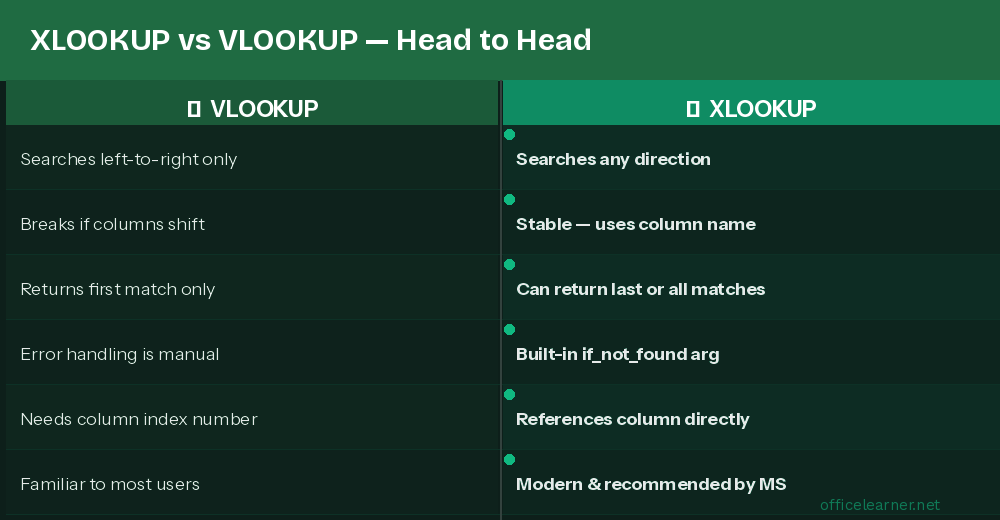
Key limitations of VLOOKUP:
Can only search left-to-right
Column index number breaks if columns are inserted or deleted
Returns first match only with no built-in error handling
Enter XLOOKUP: The Modern Replacement
Key advantages of XLOOKUP:
Searches in any direction: left, right, up, or down
References the return column directly, not by index number
Built-in if_not_found argument for clean error handling
Can return the last match or all matches
Real Excel Examples
Find an employee salary by their ID
Look up a value to the LEFT of the lookup column
VLOOKUP cannot search leftward. XLOOKUP handles it easily:
Return a message if a value is not found
How to Migrate Existing VLOOKUP Formulas
Identify the VLOOKUP: =VLOOKUP(A2, D:F, 2, FALSE)
Note the lookup column (D) and return column (E = column 2)
Rewrite as: =XLOOKUP(A2, D:D, E:E, "Not Found")
Test the result to confirm it matches
Remove the VLOOKUP and commit to XLOOKUP going forward
Make the Switch Today
XLOOKUP is simpler, more reliable, and more powerful in every scenario. Make it your default lookup function starting now.
Visit officelearner.net for more Excel tutorials and tips.