ADVERTISEMENT
  • About
  • Advertise
  • Privacy & Policy
  • Contact
Office Learner
ADVERTISEMENT
  • Home
  • Browse by Category
    • Word
      • Word Basics
      • Word Data Entry
      • Word Formatting
      • Word Templates
      • Word Tips
    • Excel
      • Excel Basics
      • Excel Shortcuts
      • Excel Charts
      • Data Validation
      • Conditional Formatting
      • Data Analysis with Excel
      • Dynamic Arrays
      • Advanced Excel Topics
      • Developing Excel Related Tools
      • Essential Excel Books
      • Excel for Accountants
      • Excel for Finance
      • Excel Functions and Formulas
      • Excel Pivot Tables
      • Excel Power BI
      • Excel Power Query
      • Excel Templates
      • Excel Training & Courses
      • Macros and Excel VBA
    • PowerPoint
      • Animation
      • PowerPoint Basics
      • PowerPoint Templates
  • About
  • Office Books
  • Courses
No Result
View All Result
  • Home
  • Browse by Category
    • Word
      • Word Basics
      • Word Data Entry
      • Word Formatting
      • Word Templates
      • Word Tips
    • Excel
      • Excel Basics
      • Excel Shortcuts
      • Excel Charts
      • Data Validation
      • Conditional Formatting
      • Data Analysis with Excel
      • Dynamic Arrays
      • Advanced Excel Topics
      • Developing Excel Related Tools
      • Essential Excel Books
      • Excel for Accountants
      • Excel for Finance
      • Excel Functions and Formulas
      • Excel Pivot Tables
      • Excel Power BI
      • Excel Power Query
      • Excel Templates
      • Excel Training & Courses
      • Macros and Excel VBA
    • PowerPoint
      • Animation
      • PowerPoint Basics
      • PowerPoint Templates
  • About
  • Office Books
  • Courses
No Result
View All Result
Office Learner
No Result
View All Result
Home Outlook

Master Outlook in 2026: 8 Email Productivity Tricks You’re Not Using

Tanjila Rashid by Tanjila Rashid
May 23, 2026
in Outlook
0
Master Outlook in 2026: 8 Email Productivity Tricks You're Not Using
0
SHARES
0
VIEWS
Share on FacebookShare on Twitter
ADVERTISEMENT

Master Outlook in 2026: 8 Email Productivity Tricks You Are Not Using

Published on officelearner.net | Outlook | May 2026

The average office worker spends over two hours per day managing email. That is more than 500 hours per year. And yet most people use Outlook the same way they did in 2010: open, read, reply, repeat.

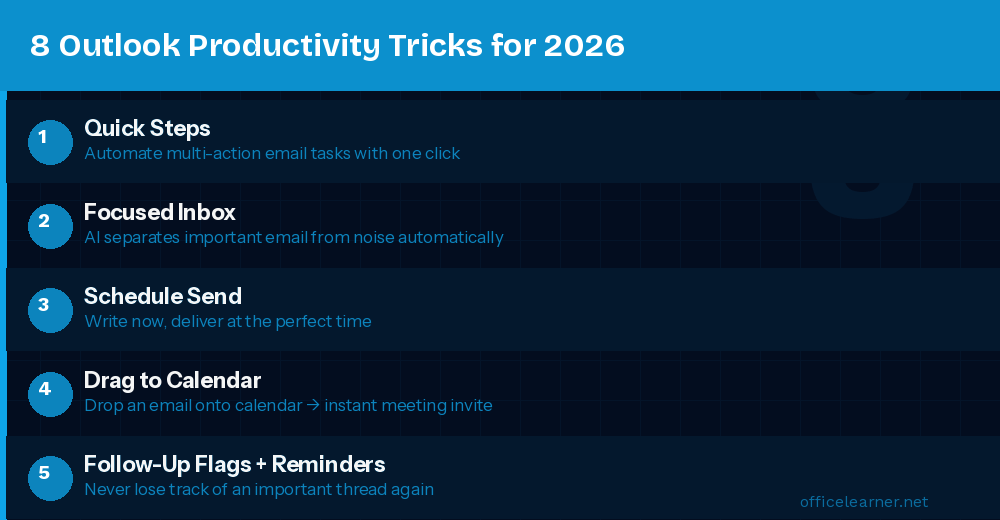
1. Quick Steps: Automate Repetitive Email Actions

Quick Steps let you apply multiple actions to an email with a single click. Create a Quick Step that marks as read, moves to a folder, and flags it all at once. Go to Home then Quick Steps then New Quick Step then Custom.

Advertisement. Scroll to continue reading.

2. Focused Inbox: Let AI Sort Your Email

Focused Inbox uses AI to separate important emails from lower-priority messages. Enable it via View then Focused Inbox. Right-click any email to move it and teach the AI what belongs where.

3. Schedule Send: Write Now, Deliver Later

Write your email, then click the dropdown arrow next to Send and choose Schedule Send. Pick a date and time for delivery. Perfect for drafting outside working hours.

ADVERTISEMENT

4. Drag and Drop Email to Calendar

Drag any email from your inbox and drop it onto the Calendar icon. Outlook creates a new calendar event pre-filled with the email subject, body, and attendees. Just set the date and time.

5. Use Rules to Auto-Organize Your Inbox

Outlook Rules let you set automatic conditions such as moving emails from a specific address to a priority folder. Create rules via Home then Rules then Manage Rules and Alerts.

6. Follow-Up Flags and Reminder Dates

Right-click any email and choose Follow Up to add a color-coded flag and set a reminder date. Use red for urgent, yellow for waiting on a response, and green for completed items.

7. Search Folders: Smart Virtual Folders

A Search Folder always shows emails matching specific criteria without physically moving them. Create one via the Folder tab then New Search Folder.

8. Copilot in Outlook: Draft, Summarize, Coach

Use Copilot to draft replies with a single prompt, summarize long email threads in three bullets, and receive coaching on your email tone before you send. Look for the Copilot sparkle icon in any compose window.

Take Back Control of Your Inbox

Start with Quick Steps and Focused Inbox. The goal is not inbox zero. It is inbox clarity.

Visit officelearner.net for more Outlook, Excel, Word, and Copilot guides.
ADVERTISEMENT
Previous Post

10 Hidden Excel Features That Will Save You Hours Every Week

Next Post

Create Stunning PowerPoint Presentations in Minutes Using Copilot

Tanjila Rashid

Tanjila Rashid

Next Post

How to Use ODD Function in Excel (3 Examples)

Stay Connected test

  • 86.2k Followers
  • 23.9k Followers
  • 99 Subscribers
ADVERTISEMENT
  • Trending
  • Comments
  • Latest
The Evolution of Microsoft Word: A Brief History

The Evolution of Microsoft Word: A Brief History

May 3, 2023

How to Merge and Center Selected Cells in Excel (4 Ways)

February 5, 2023
How to Use Excel SUMIF to Sum Values Greater Than 0

How to Merge Cells in Excel Without Merging Actually

May 3, 2023

How to Create a Weighted Sales Pipeline in Excel

February 5, 2023
Spreadsheet Layout

What is spreadsheet? and how it works!

0
Spreadsheet Layout

Spreadsheet Layout

0
Spreadsheet Layout

IF function of Google Sheets – usage and formula examples

0

5 Google Sheets tricks that you always need!

0

How to Create Material Reconciliation Format in Excel

May 23, 2026

How to Create Radar Chart with Radial Lines in Excel

May 23, 2026

How to Draw 3-Axis Scatter Plot in Excel (with Easy Steps)

May 23, 2026

[Fixed!] Excel MATCH Function Not Working

May 23, 2026

Recent News

How to Create Material Reconciliation Format in Excel

May 23, 2026

How to Create Radar Chart with Radial Lines in Excel

May 23, 2026

How to Draw 3-Axis Scatter Plot in Excel (with Easy Steps)

May 23, 2026

[Fixed!] Excel MATCH Function Not Working

May 23, 2026
Office Learner

OfficeLearner is a place where you can learn PowerPoint, Excel, Word Data Analysis, and other Office related programs. We provide tips, how to guide and also provide Excel solutions to your business problems

Follow Us

DMCA.com Protection Status

Browse by Category

  • Advanced Excel Topics
  • Copilot
  • Copilot / AI
  • Copilot / M365
  • Copilot Studio
  • Excel
  • Excel / Copilot
  • Excel Basics
  • Excel Functions and Formulas
  • Forms / Excel
  • Loop
  • Loop / Collaboration
  • OneNote
  • OneNote / Copilot
  • Outlook
  • Outlook / Copilot
  • Power Automate
  • Power Automate / Copilot
  • PowerPoint
  • PowerPoint / Copilot
  • PowerPoint Basics
  • SharePoint
  • SharePoint / Copilot
  • Teams
  • Teams / Copilot
  • Uncategorized
  • Word
  • Word / Copilot
  • Word Basics
  • Word Tips

Recent News

How to Create Material Reconciliation Format in Excel

May 23, 2026

How to Create Radar Chart with Radial Lines in Excel

May 23, 2026
  • About
  • Advertise
  • Privacy & Policy
  • Contact

© 2022 OfficeLearner - Free Excel, PowerPoint & Word Tutorial & Online Courses

No Result
View All Result

© 2022 OfficeLearner - Free Excel, PowerPoint & Word Tutorial & Online Courses

This website uses cookies. By continuing to use this website you are giving consent to cookies being used. Visit our Privacy and Cookie Policy.