ADVERTISEMENT
  • About
  • Advertise
  • Privacy & Policy
  • Contact
Office Learner
ADVERTISEMENT
  • Home
  • Excel
  • Word
  • PowerPoint
  • Outlook
  • Microsoft Copilot
  • Power BI
  • Microsoft 365
  • Microsoft Teams
  • OneNote
No Result
View All Result
  • Home
  • Excel
  • Word
  • PowerPoint
  • Outlook
  • Microsoft Copilot
  • Power BI
  • Microsoft 365
  • Microsoft Teams
  • OneNote
No Result
View All Result
Office Learner
No Result
View All Result
Home Word

Repeat Table Headers on Every Page in Word

Tanjila Rashid by Tanjila Rashid
November 22, 2026
in Word
0
Repeat Table Headers on Every Page in Word
0
SHARES
0
VIEWS
Share on FacebookShare on Twitter

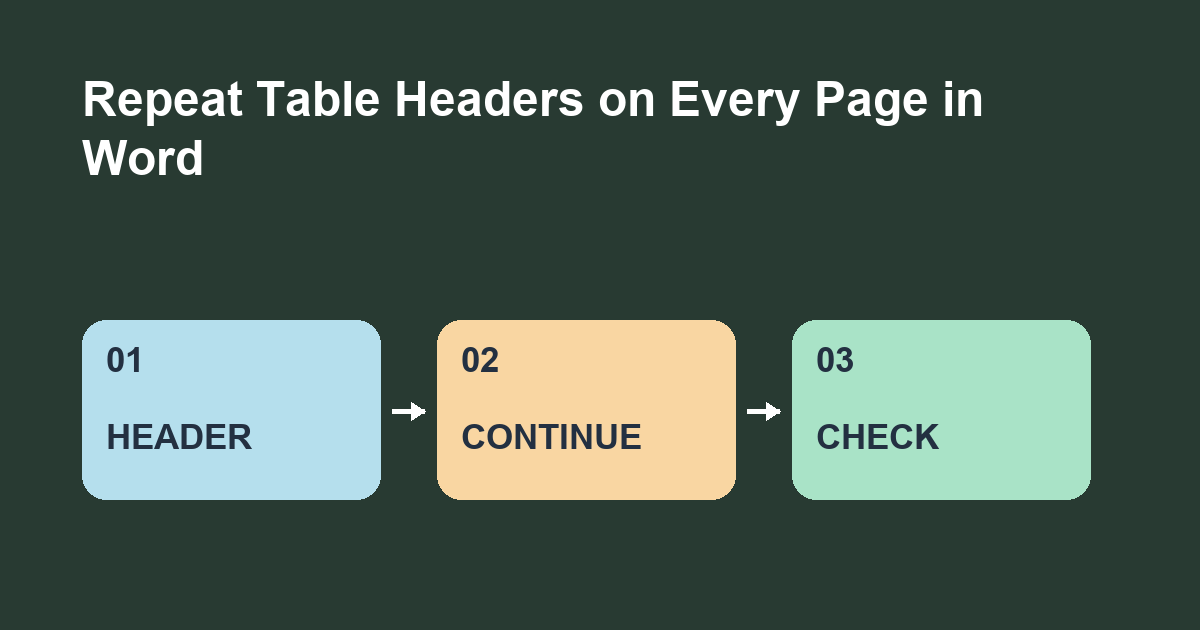
Select the top row of your table and turn on Repeat Header Rows. Word will repeat that row when the same table flows onto a new page automatically.

Create a practice attendance register

In a blank Word document, insert a table with columns for Name, Arrival, and Notes. Add rows until the table flows onto page two. Longer notes in some rows will help make the example resemble a real register. Keep the table as one object. Select the first row, open the contextual Table Layout tab and select Repeat Header Rows.

Check the result in Print Layout

Scroll to page two or open print preview. The same three labels should appear above the continued rows. Edit Arrival to Check in on page one and check page two again. Both should show the new wording. If the header disappears, check for a manual page break inside the table or two separate tables. To repeat a two-row heading, select both rows together starting with the first row.

Version and exercise

These steps target desktop Word for Microsoft 365 on Windows and apply to the desktop editions in Microsoft's guide. Use desktop Word if your browser interface lacks the command. Can you make a two-row heading that shows a workshop name above the three column labels?

An alternative through Table Properties

If you cannot find the ribbon command, right-click within the first row and open Table Properties. On the Row tab, select Repeat as header row at the top of each page, then choose OK. Use the top row of the table rather than a heading paragraph positioned above it. A document title outside the table is not part of the table header selection.

ADVERTISEMENT

Troubleshoot before copying labels manually

First switch to Print Layout: repeated headers are visible there and in printed output. Next, check whether the table continues through an automatic page break. A manual page break inside a table prevents the repeat behavior described in Microsoft’s guide. If you have created two separate tables, the second table is a new object and needs its own heading. Repeating labels by typing another ordinary row into the middle of the original table can leave those labels stranded when earlier text changes.

Check the document after edits

Change the header wording on the first page, where the original header can be edited. The repeated copies on later pages follow that original; they are not separate editable rows. Before sharing the register, inspect every continuation page in print preview. Confirm that the labels remain meaningful and that a two-row heading includes the first row in its selection. For a final exercise, add enough sample attendees to reach a third page, rename Notes to Access needs on the first page, and verify that the revised label appears on both continuation pages.


Primary source for this guide

Related guides on officelearner.net

Tags: repeat table headerWord
ADVERTISEMENT
Previous Post

Count Empty Cells in an Excel Sign Up Sheet

Next Post

Freeze Two Header Rows and the First Column in Excel

Tanjila Rashid

Tanjila Rashid

Next Post
Freeze Two Header Rows and the First Column in Excel

Freeze Two Header Rows and the First Column in Excel

ADVERTISEMENT
  • Trending
  • Comments
  • Latest
10 Microsoft 365 Copilot Features That Transform Word and Outlook in 2025

8 Hidden Excel Features That Power Users Swear By (2026 Edition)

October 8, 2026
PowerPoint Morph Transition Masterclass: Create Cinematic Animations in 2026

PowerPoint Morph Transition Masterclass: Create Cinematic Animations in 2026

October 8, 2026
Excel GROUPBY & PIVOTBY: The New Array Functions That Replace PivotTables

Excel GROUPBY & PIVOTBY: The New Array Functions That Replace PivotTables

October 8, 2026
Excel PIVOTBY Function in 2026: The Ultimate Guide to Dynamic Pivot Analysis Without Pivot Tables

Excel PIVOTBY Function in 2026: The Ultimate Guide to Dynamic Pivot Analysis Without Pivot Tables

October 8, 2026
Spreadsheet Layout

What is spreadsheet? and how it works!

0
Spreadsheet Layout

Spreadsheet Layout

0
Spreadsheet Layout

IF function of Google Sheets – usage and formula examples

0

5 Google Sheets tricks that you always need!

0
Add a descriptive external reference link in OneNote for the web

Add a descriptive external reference link in OneNote for the web

November 22, 2026
Round measured lengths downward with Power Query Number RoundDown

Round measured lengths downward with Power Query Number RoundDown

November 22, 2026
Flip a direction arrow in a PowerPoint process diagram

Flip a direction arrow in a PowerPoint process diagram

November 22, 2026
Set line spacing for one paragraph in a Word handout

Set line spacing for one paragraph in a Word handout

November 22, 2026

Recent News

Add a descriptive external reference link in OneNote for the web

Add a descriptive external reference link in OneNote for the web

November 22, 2026
Round measured lengths downward with Power Query Number RoundDown

Round measured lengths downward with Power Query Number RoundDown

November 22, 2026
Flip a direction arrow in a PowerPoint process diagram

Flip a direction arrow in a PowerPoint process diagram

November 22, 2026
Set line spacing for one paragraph in a Word handout

Set line spacing for one paragraph in a Word handout

November 22, 2026
Office Learner

OfficeLearner is a place where you can learn PowerPoint, Excel, Word Data Analysis, and other Office related programs. We provide tips, how to guide and also provide Excel solutions to your business problems

Follow Us

DMCA.com Protection Status

Browse by Category

  • Clipchamp
  • Excel
  • Google Sheets
  • Loop
  • Microsoft 365
  • Microsoft Copilot
  • Microsoft Designer
  • Microsoft Forms
  • Microsoft Loop
  • Microsoft Sway
  • Microsoft Teams
  • Microsoft Viva
  • Microsoft Whiteboard
  • OneDrive
  • OneNote
  • Outlook
  • Planner
  • Power Apps
  • Power Automate
  • Power BI
  • PowerPoint
  • SharePoint
  • Teams
  • Visio
  • Word

Recent News

Add a descriptive external reference link in OneNote for the web

Add a descriptive external reference link in OneNote for the web

November 22, 2026
Round measured lengths downward with Power Query Number RoundDown

Round measured lengths downward with Power Query Number RoundDown

November 22, 2026
  • About
  • Advertise
  • Privacy & Policy
  • Contact

© 2022 OfficeLearner - Free Excel, PowerPoint & Word Tutorial & Online Courses

No Result
View All Result

© 2022 OfficeLearner - Free Excel, PowerPoint & Word Tutorial & Online Courses

This website uses cookies. By continuing to use this website you are giving consent to cookies being used. Visit our Privacy and Cookie Policy.