ADVERTISEMENT
  • About
  • Advertise
  • Privacy & Policy
  • Contact
Office Learner
ADVERTISEMENT
  • Home
  • Browse by Category
    • Word
      • Word Basics
      • Word Data Entry
      • Word Formatting
      • Word Templates
      • Word Tips
    • Excel
      • Excel Basics
      • Excel Shortcuts
      • Excel Charts
      • Data Validation
      • Conditional Formatting
      • Data Analysis with Excel
      • Dynamic Arrays
      • Advanced Excel Topics
      • Developing Excel Related Tools
      • Essential Excel Books
      • Excel for Accountants
      • Excel for Finance
      • Excel Functions and Formulas
      • Excel Pivot Tables
      • Excel Power BI
      • Excel Power Query
      • Excel Templates
      • Excel Training & Courses
      • Macros and Excel VBA
    • PowerPoint
      • Animation
      • PowerPoint Basics
      • PowerPoint Templates
  • About
  • Office Books
  • Courses
No Result
View All Result
  • Home
  • Browse by Category
    • Word
      • Word Basics
      • Word Data Entry
      • Word Formatting
      • Word Templates
      • Word Tips
    • Excel
      • Excel Basics
      • Excel Shortcuts
      • Excel Charts
      • Data Validation
      • Conditional Formatting
      • Data Analysis with Excel
      • Dynamic Arrays
      • Advanced Excel Topics
      • Developing Excel Related Tools
      • Essential Excel Books
      • Excel for Accountants
      • Excel for Finance
      • Excel Functions and Formulas
      • Excel Pivot Tables
      • Excel Power BI
      • Excel Power Query
      • Excel Templates
      • Excel Training & Courses
      • Macros and Excel VBA
    • PowerPoint
      • Animation
      • PowerPoint Basics
      • PowerPoint Templates
  • About
  • Office Books
  • Courses
No Result
View All Result
Office Learner
No Result
View All Result
Home PowerPoint

Resize a PowerPoint Deck for a Widescreen Display

Tanjila Rashid by Tanjila Rashid
November 12, 2026
in PowerPoint
0
Resize a PowerPoint Deck for a Widescreen Display
0
SHARES
0
VIEWS
Share on FacebookShare on Twitter

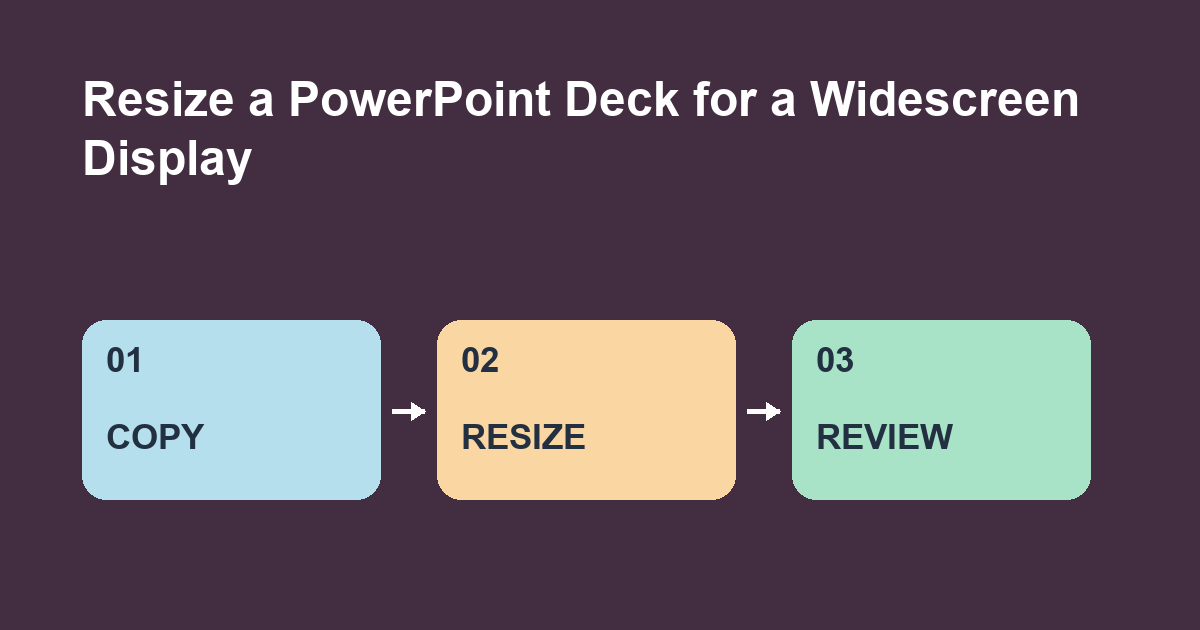
In a copy of the presentation, choose Design, Slide Size, then Widescreen (16:9). If PowerPoint asks how to scale your content, choose Ensure Fit on Windows and review the layout before presenting.

ADVERTISEMENT

Make a slide that exposes layout problems

Use a Standard (4:3) slide with a photo across the middle, a narrow text box near the right edge and a small footer near the bottom. Save a copy before changing the deck. The size change affects every slide in the file. Record where the edges of the photo and footer start so you have something concrete to compare.

Fix the wide layout slide by slide

Check that the footer is visible and that the right text box still wraps at readable points. Reposition the boxes to use the wider canvas. Crop photos to fit their new frames when needed and keep important parts of the image in view. Check repeated elements on slides that use different layouts. Run Slide Show at full screen to spot text that looks acceptable at editing zoom but is too small from across the room.

Version and exercise

These instructions target PowerPoint for Microsoft 365 on Windows. On Mac the scaling prompt can use different wording, including Scale. Try the same conversion on a duplicate with Maximize on Windows. Which slide element needs attention first?


Primary source for this guide

Related guides on officelearner.net

Tags: PowerPointslide size
ADVERTISEMENT
Previous Post

Make a OneDrive Folder Available Offline on Windows

Next Post

Split a Combined Code in Power BI Power Query

Tanjila Rashid

Tanjila Rashid

Next Post
Split a Combined Code in Power BI Power Query

Split a Combined Code in Power BI Power Query

ADVERTISEMENT
  • Trending
  • Comments
  • Latest
10 Microsoft 365 Copilot Features That Transform Word and Outlook in 2025

8 Hidden Excel Features That Power Users Swear By (2026 Edition)

October 8, 2026
PowerPoint Morph Transition Masterclass: Create Cinematic Animations in 2026

PowerPoint Morph Transition Masterclass: Create Cinematic Animations in 2026

October 8, 2026
Excel PIVOTBY Function in 2026: The Ultimate Guide to Dynamic Pivot Analysis Without Pivot Tables

Excel PIVOTBY Function in 2026: The Ultimate Guide to Dynamic Pivot Analysis Without Pivot Tables

October 8, 2026
Excel GROUPBY & PIVOTBY: The New Array Functions That Replace PivotTables

Excel GROUPBY & PIVOTBY: The New Array Functions That Replace PivotTables

October 8, 2026
Spreadsheet Layout

What is spreadsheet? and how it works!

0
Spreadsheet Layout

Spreadsheet Layout

0
Spreadsheet Layout

IF function of Google Sheets – usage and formula examples

0

5 Google Sheets tricks that you always need!

0
Show a Second Time Zone in the Outlook Calendar

Show a Second Time Zone in the Outlook Calendar

November 12, 2026
Split a Combined Code in Power BI Power Query

Split a Combined Code in Power BI Power Query

November 12, 2026
Resize a PowerPoint Deck for a Widescreen Display

Resize a PowerPoint Deck for a Widescreen Display

November 12, 2026
Make a OneDrive Folder Available Offline on Windows

Make a OneDrive Folder Available Offline on Windows

November 6, 2026

Recent News

Show a Second Time Zone in the Outlook Calendar

Show a Second Time Zone in the Outlook Calendar

November 12, 2026
Split a Combined Code in Power BI Power Query

Split a Combined Code in Power BI Power Query

November 12, 2026
Resize a PowerPoint Deck for a Widescreen Display

Resize a PowerPoint Deck for a Widescreen Display

November 12, 2026
Make a OneDrive Folder Available Offline on Windows

Make a OneDrive Folder Available Offline on Windows

November 6, 2026
Office Learner

OfficeLearner is a place where you can learn PowerPoint, Excel, Word Data Analysis, and other Office related programs. We provide tips, how to guide and also provide Excel solutions to your business problems

Follow Us

DMCA.com Protection Status

Browse by Category

  • Clipchamp
  • Excel
  • Google Sheets
  • Loop
  • Microsoft 365
  • Microsoft Copilot
  • Microsoft Designer
  • Microsoft Forms
  • Microsoft Loop
  • Microsoft Sway
  • Microsoft Teams
  • Microsoft Viva
  • Microsoft Whiteboard
  • OneDrive
  • OneNote
  • Outlook
  • Planner
  • Power Apps
  • Power Automate
  • Power BI
  • PowerPoint
  • SharePoint
  • Teams
  • Visio
  • Word

Recent News

Show a Second Time Zone in the Outlook Calendar

Show a Second Time Zone in the Outlook Calendar

November 12, 2026
Split a Combined Code in Power BI Power Query

Split a Combined Code in Power BI Power Query

November 12, 2026
  • About
  • Advertise
  • Privacy & Policy
  • Contact

© 2022 OfficeLearner - Free Excel, PowerPoint & Word Tutorial & Online Courses

No Result
View All Result

© 2022 OfficeLearner - Free Excel, PowerPoint & Word Tutorial & Online Courses

This website uses cookies. By continuing to use this website you are giving consent to cookies being used. Visit our Privacy and Cookie Policy.